Advanced Form
Free example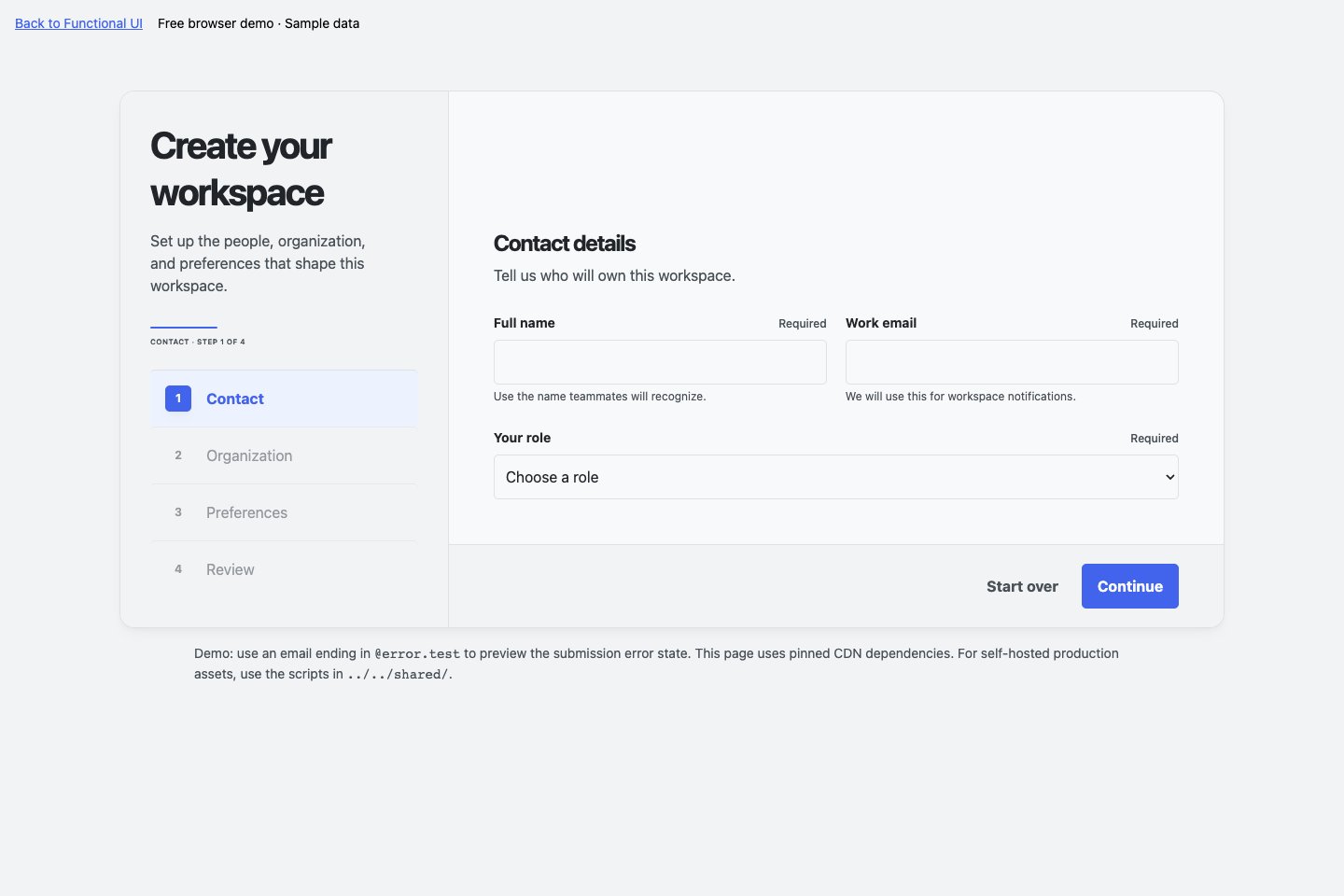
A multi-step form that keeps people moving, with field validation, conditional inputs, and saved drafts.
Try Advanced Form
15 substantial application interfaces and workflows for your next web app. Task boards, inboxes, scheduling, and admin tools—with browser interactions ready to adapt.
HTML, CSS & JavaScript. Your app. Your backend.
Move a task, open its details, and filter your board. See the interactions before you integrate.
Plain HTML · Server-rendered apps · Framework DOM islands
Click through the states. Make a few changes.
Get a feel for how Functional UI works.
A multi-step form that keeps people moving, with field validation, conditional inputs, and saved drafts.
Try Advanced Form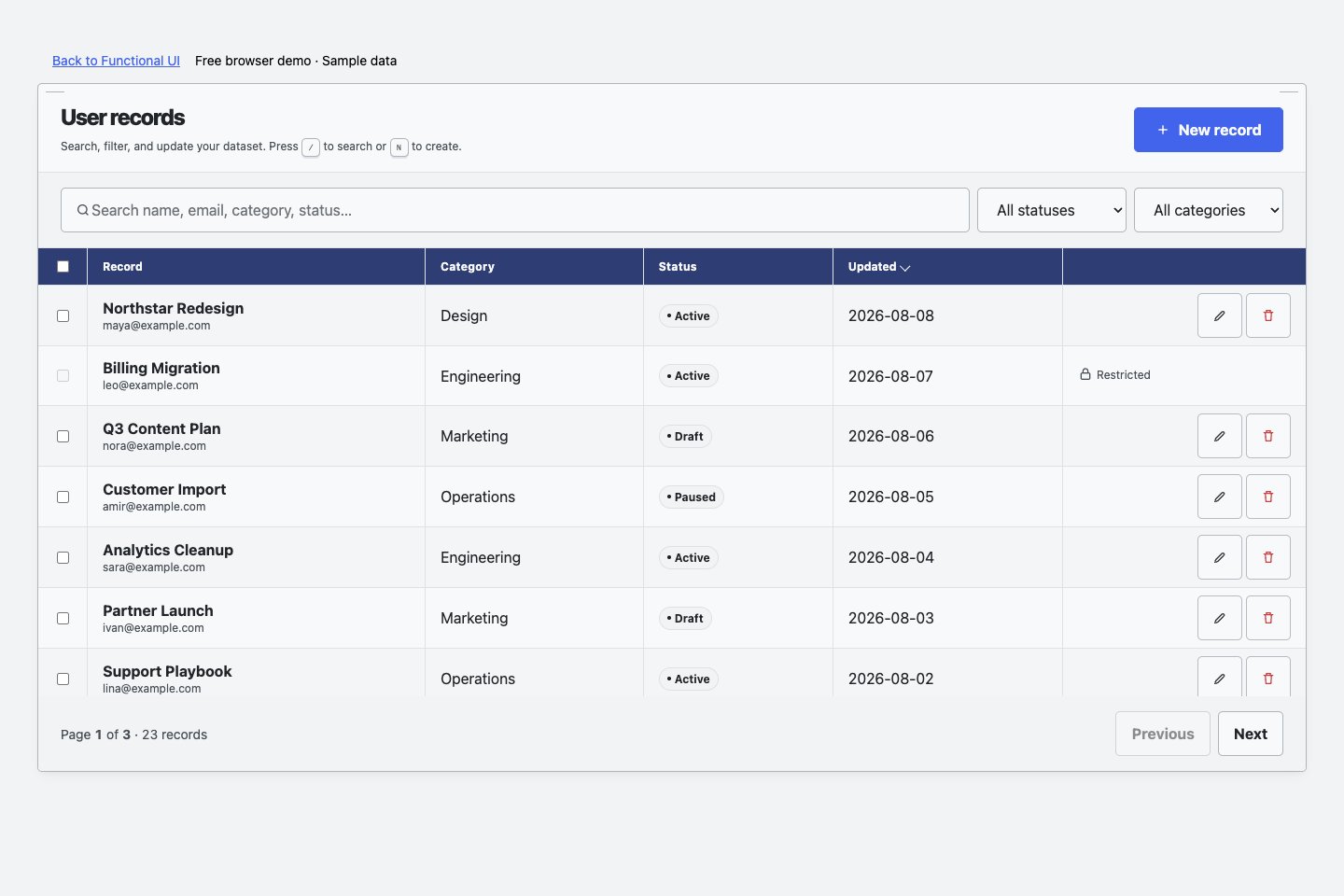
Create, search, edit, and delete records. Try filters, bulk selection, and the details that make admin work flow.
Try CRUD ManagerKeep exploring on your own machine.
Download both free examples Browser demos · Sample data · No signupExplore 13 more interfaces and workflows.
Watch each one in action.
Move work into progress · Open the task editor · Return to the board · Filter the board.
Switch to the week view · Scan the agenda · Create a new event · Enter event details · Return to the calendar.
Switch to the grid view · Explore a folder · Return to your files · Preview a document.
Open a conversation · Draft a reply · Filter unread messages · Compose a new message.
Sort the records · Select records in bulk · Choose visible columns · Filter by role.
Search the user directory · Inspect user access · Return to the directory · Open the invitation form.
Start the onboarding flow · Add profile details · Continue to workspace setup · Review the next step.
Explore appearance settings · Preview the dark theme · Restore the light theme · Manage notification preferences.
Search workspace content · Browse matching results · Explore search filters · Return to all content.
Open the command palette · Find an action instantly · Run the selected command · Navigate with the keyboard.
Open notifications · Focus on unread updates · Mark an update as read · View mentions.
Focus on unread activity · Inspect event details · Browse all activity · Search the timeline.
Collapse the navigation · Expand the navigation · Open account controls · Return to the workspace.
Take the interface or workflow you need, load the shared styles, and connect your data. You own the application around it.
Choose from 15 application interfaces and workflows, each with its own markup, styles, behavior, and documentation.
Shared theme tokens keep light and dark themes consistent. Adapt the content and configuration to your use case.
Use plain HTML or an isolated DOM island in your framework. Wire persistence, authentication, and delivery to your own backend.
Put substantial application interfaces and workflows to work.
Get the complete Functional UI pack.
$79Launch offer
For the first 10 purchases. The price goes up after that.
Try the free examplesPayment processed by Stripe.
A pack of 15 substantial application interfaces and workflows with markup, styles, browser-side behavior, documentation, and integration examples. Advanced Form and CRUD Manager are available here as free browser examples.
The canonical files work in plain HTML and server-rendered applications. For React, Vue, Svelte, and other frameworks, use the optional DOM-island integration so each interface owns its own section of the page. Interfaces may use Alpine.js; server-driven examples may use HTMX.
The pack includes integration examples, not a hosted backend. Connect your own persistence, authentication, authorization, uploads, and message delivery. These previews use sample data; browser changes do not create a production service.
The first 10 purchases are $79. The price will rise after those purchases. The later price has not been announced. Payments are processed by Stripe.
Yes. Open Advanced Form and CRUD Manager above, or download both browser examples without signing up. The other 13 interfaces and workflows have short interaction videos on this page.